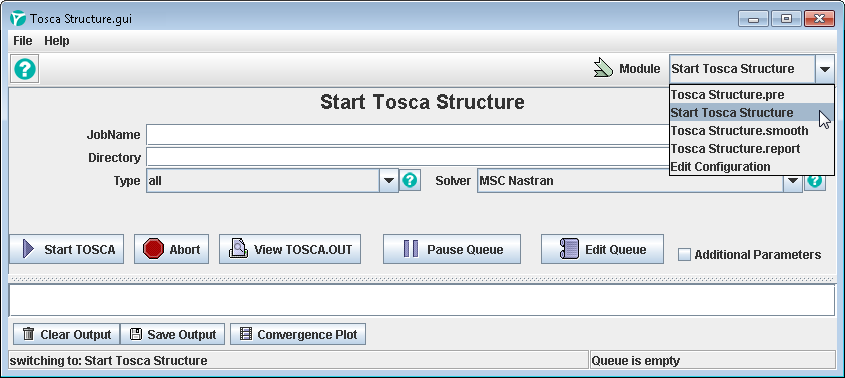
The graphical user interface enables the following tasks to be completed:
- defining the optimization task (Tosca Structure.pre)
- starting the optimization in SIMULIA Tosca Structure
- calculating iso surfaces, data smoothing and reduction (Tosca Structure.smooth)
- preparing results for postprocessing (Tosca Structure.report)
and
- viewing them (Tosca Structure.view)
as shown in the following figure.
Tosca Structure.gui
can be started with the command tosca_gui in a SIMULIA Tosca Structure
command shell. The start script can be found in <install_dir>\bin\tosca_gui.