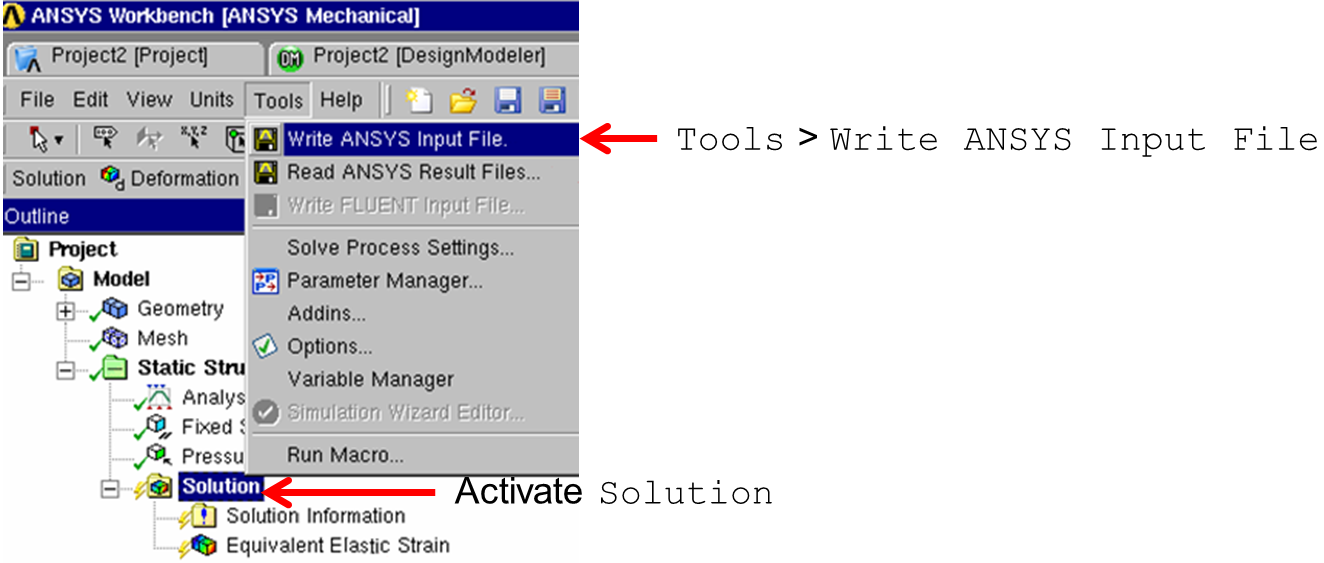
For the export of a CDB File, the corresponding solution has to be
activated first. If the solution is active, Write ANSYS®
Input command can be selected from the Tools menu as shown in the following
figure.
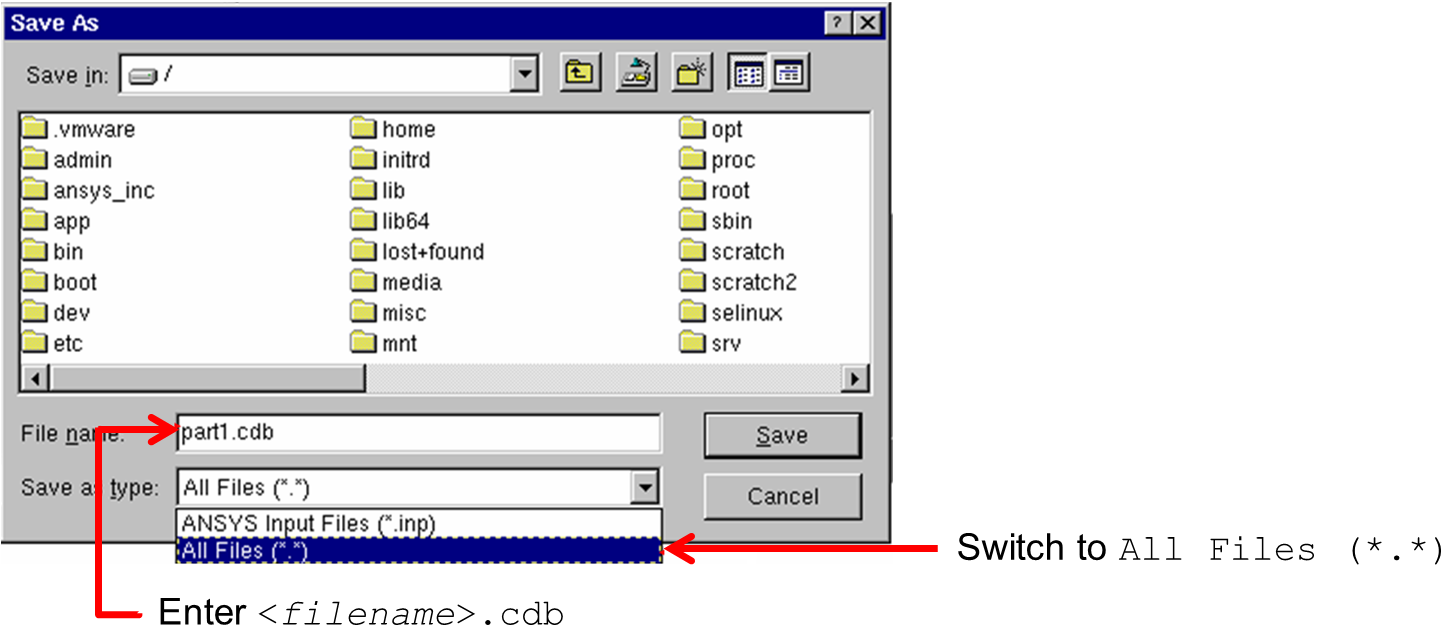
For the selection of the filename in the ANSYS® Workbench
File Export, the file extension can be specified: to prevent the standard
Extension *.inp from being used during export, you should switch to All
Files in the output file dialog and specify the *.cdb extension
manually as shown in the figure below.